
More flexibility. More automation. More business!
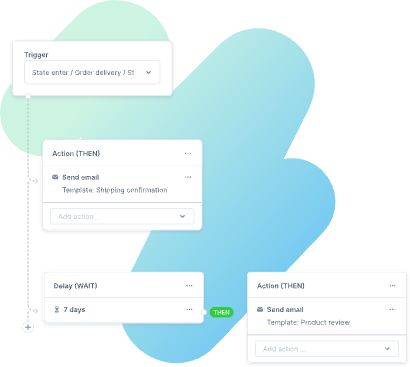
The Flow Builder allows you to define and automate highly individual business processes all in one place, without having to write a single line of code. Create flows to perform specific tasks, and let business events trigger your pre-defined course of actions. Benefit from faster reaction times, more flexibility and more control over your business operations.
Boost your business potential
Ecommerce automation using Flow Builder empowers tailored responses to business triggers, whether they originate from Shopware or third-party apps.
Ideal for intricate business models, such as diverse or customizable product offerings, global customer segments, or streamlining workflows with staff and suppliers.
Shopware's Flow Builder allows you to shape your business model to your preferences, avoiding constraints and enabling scalable growth for ambitious ideas.
Always one step ahead
The future of ecommerce automation is here! At Shopware we're always at the forefront of developing the most innovative features that allow you to run your business as efficiently and effectively as possible. And of course, the Flow Builder is no exception!
Time-saving mastery
Achieve more in less time. Simplify even complex business procedures and modify workflows according to your wishes and unique requirements.
Endless possibilities
Explore new territory. Using the Flow Builder in combination with the Rule Builder offers infinite possibilities to automate business processes without writing code.
Customized and control
You're in control. Design your system infrastructure to suit your requirements. Create workflows that have multiple conditions, resulting in individual and variable actions.
Agile scalability
Whether B2C, B2B or D2C – the Flow Builder easily adapts to your current business model, and yet you always remain flexible to pivot and scale your business.
What are the technical requirements?
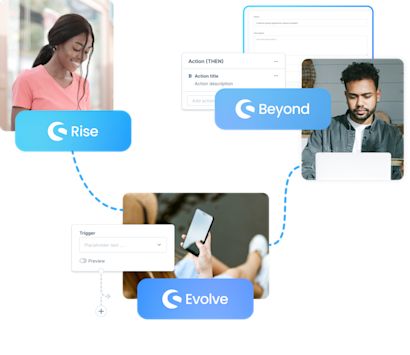
The Flow Builder is included in all Shopware 6 plans, but webhooks are exclusive to Shopware Evolve and Shopware Beyond. These webhooks enable seamless integration with third-party systems for advanced automation.
Shopware Evolve and Beyond offer the most extensive flow options without coding, granting maximum flexibility and control over your business operations.
And we're not done! We're constantly enhancing the Flow Builder based on your feedback. Our aim is to simplify your life and boost your business success. Shopware is made for you!
"In essence, the Flow Builder is all about you, your business and your unique requirements. With the Flow Builder, we hand the power over to you. You control the software – not the other way around. Instead of sticking to pre-defined and limited business processes, you can be flexible to create individual workflows according to your specific needs."

How to leverage the Flow Builder.
Thanks to Shopware's open commerce platform and our global developer community, you benefit from infinite possibilities to extend the functionalities of the Flow Builder further.
Tag-based categorization
Segment customers and orders into specific categories through tags.
Customized messaging
Create individual emails according to your tags and categories.
Document creation
Generate invoices, customer surveys and other documents.
API integration
Send data to API-based third-party systems with webhooks.
Order management
Set the order status. Customise order and payment procedures.
Custom delivery options
Offer custom delivery options to automate and streamline your shipping process.
Supplier interaction
Define workflows to simplify interactions with your suppliers.
Internal communication
Automate internal business communication.
Event-based notifications
Alert your staff automatically if a certain event has been triggered.

Flow Builder in action
Watch Matthias Friedmann, Product Owner at Shopware, present the Flow Builder on the Shopware Community Day 2021.

Designed to give you in‑depth Flow Builder knowledge
Learn how to optimize your daily business operations with the Flow Builder.

Got questions?
Request your personal consultation or Shopware demo. Tell us what you need, and we’ll make it happen.